Shopping List
Plantory automatically generates a shopping list based on the plants in your garden plan, making it easy to know exactly what to buy.
Viewing the Shopping List
Navigate to the Shopping List tab in your garden to see all plants you need to purchase.
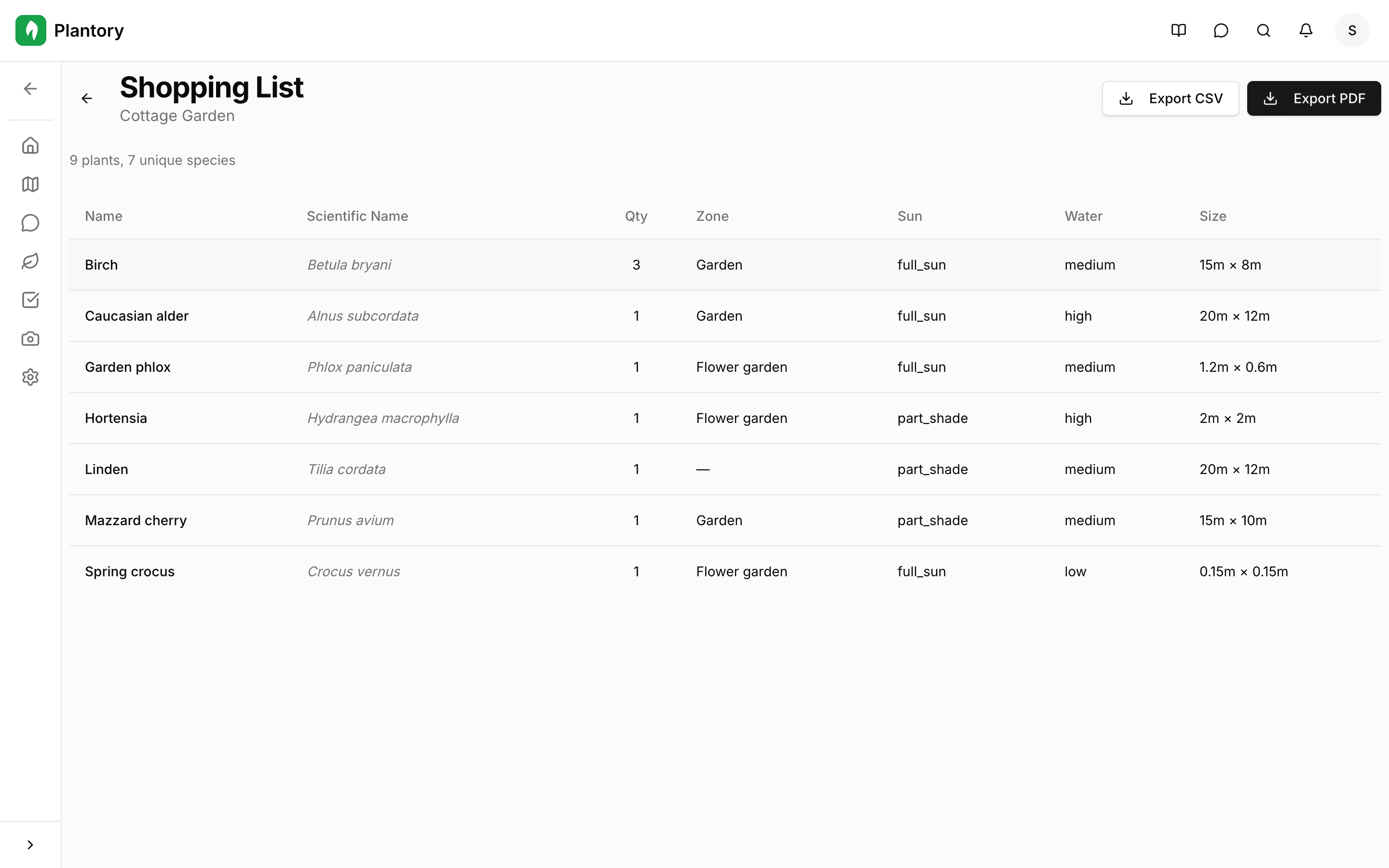
The list includes:
- Plant name (common and scientific)
- Quantity needed
- Zone where the plant will be placed
- Sun requirements
- Water needs
- Expected size at maturity
Exporting the List
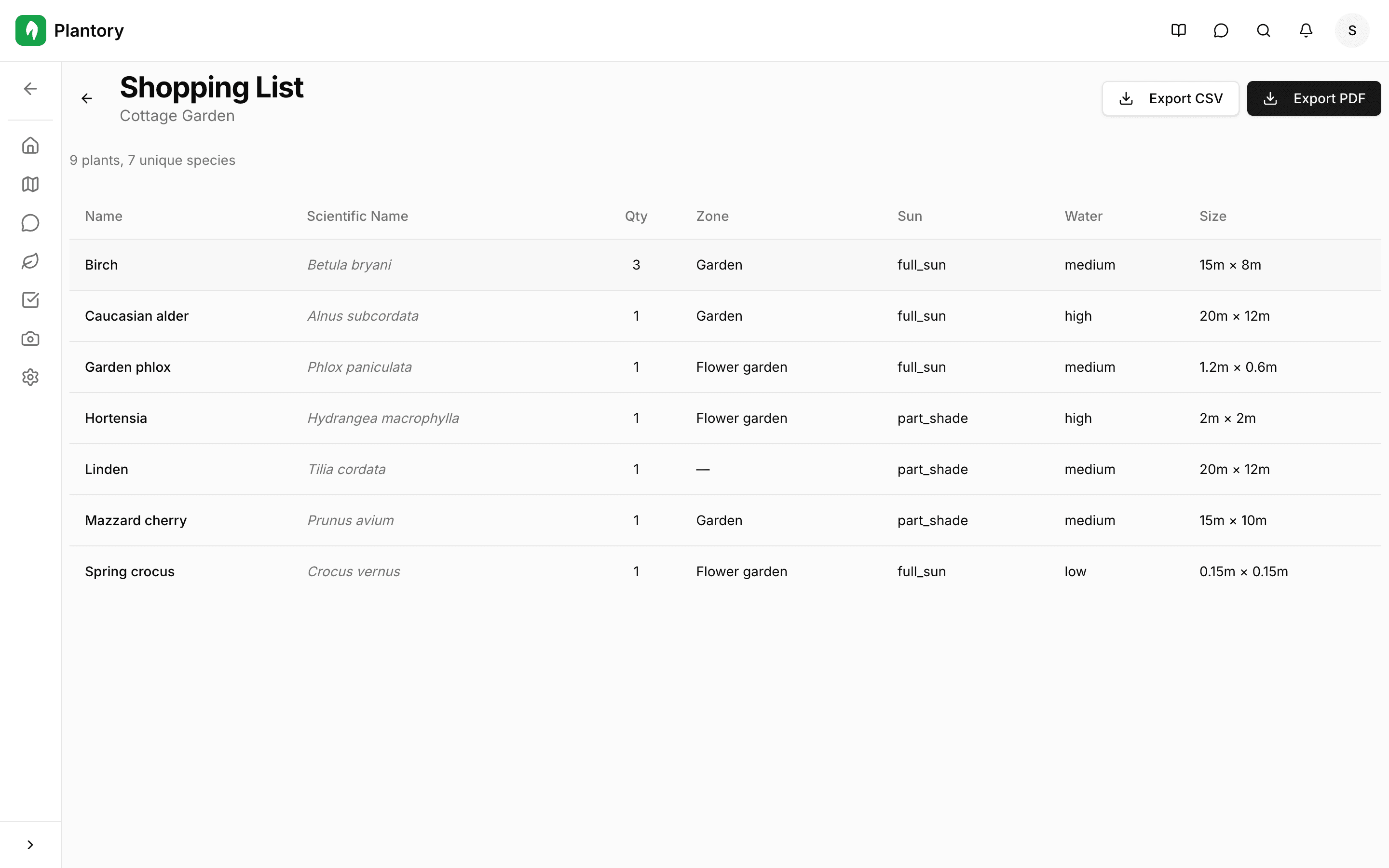
You can export your shopping list to take it to the garden center.
1
Open the Shopping List tab
Navigate to the Shopping List tab in your garden.
2
Choose an export format
Click either Export CSV for a spreadsheet-compatible file or Export PDF for a printable document.
3
Download and use
The file is downloaded to your device. Take it with you when shopping for plants.
Keep it updated
The shopping list automatically reflects your current garden plan. Add or remove plants from the canvas, and the shopping list updates accordingly.