Plant Encyclopedia
Explore a comprehensive database of plant species with detailed information about care requirements, growing conditions, and bloom times.
Browsing Plants
Visit the Plant Encyclopedia from the main navigation or the public plants page at /plants. The encyclopedia is freely accessible - no account required.
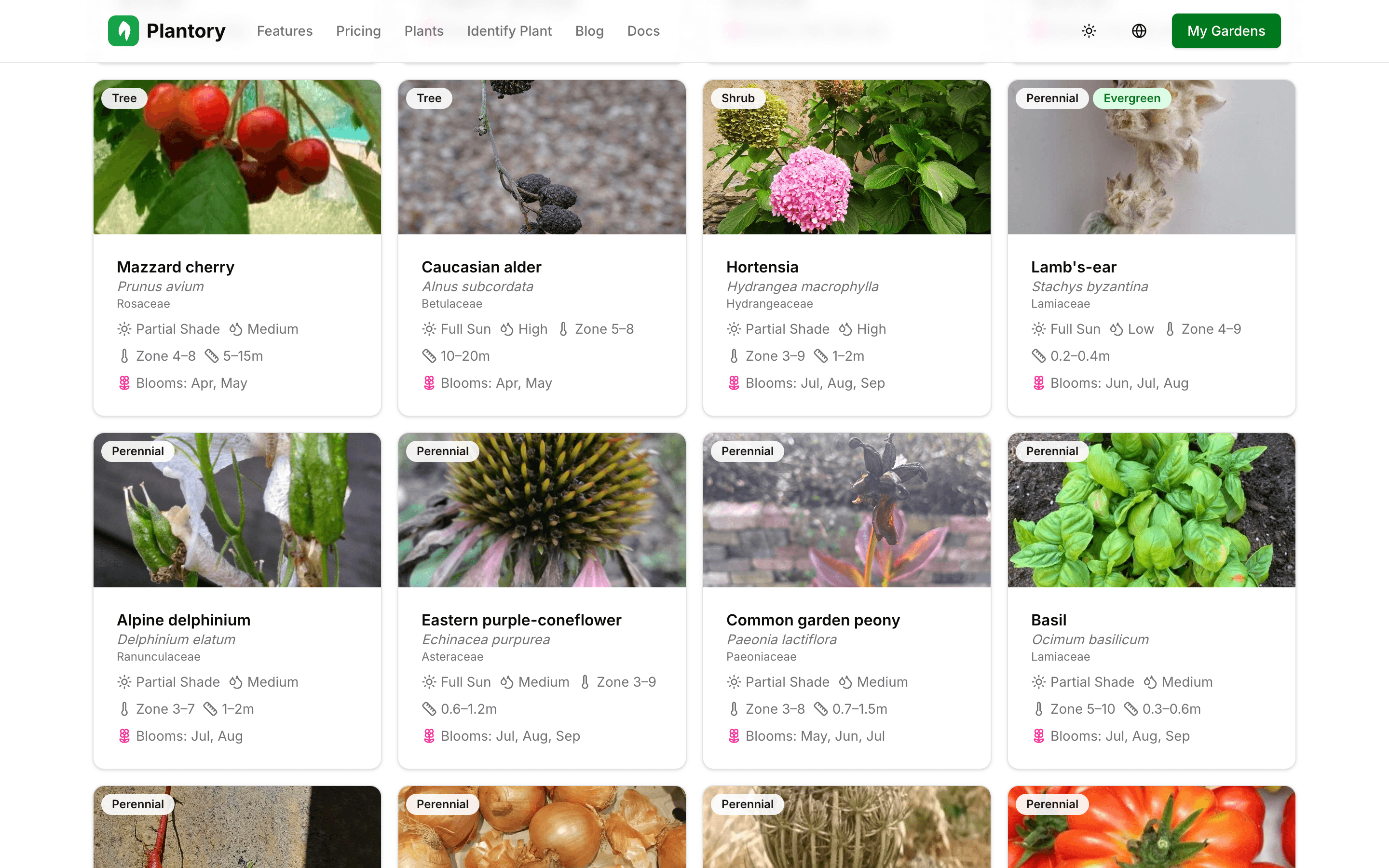
Filtering and Search
Use the filter panel to narrow down plants by:
- Category (flower, vegetable, herb, tree, shrub, etc.)
- Plant type (annual, perennial, biennial)
- Sun requirements (full sun, partial shade, full shade)
- Water needs (low, moderate, high)
- Hardiness zone compatibility
- Bloom season (spring, summer, autumn, winter)
- Bloom color
You can also use the search bar to find specific plants by common name or scientific name.
Plant Detail Pages
Click on any plant to view its full detail page with comprehensive information.

Each plant page includes:
- Common and scientific names in multiple languages
- Photos and visual identification
- Growing conditions (sun, water, soil preferences)
- Hardiness zones where the plant thrives
- Bloom information (season, color, duration)
- Size at maturity (height and spread)
- Care instructions
Multi-language support
Plant names are available in 8 languages: English, Czech, Slovak, German, Polish, Spanish, Italian, and French. The encyclopedia automatically shows names in your selected language.
Adding Plants to Your Garden
When browsing the encyclopedia, you can add a plant directly to your garden:
- Open the plant detail page
- Click Add to Garden
- Select which garden to add it to
- The plant appears in your garden's plant list
Alternatively, use the plant tool in the canvas editor to search and place plants directly on your plan.